

Official Fire Kirin platform
Fire Kirin: sign up, log in and play
The official Fire Kirin platform: sign up free, get your Fire Kirin login in your account, and keep deposits, Cash In and Cash Out in one wallet with no agent in between.


Lobby
Fire Kirin and the rest of the lobby
One account and one wallet for every game. Log in to open a game.
 Official
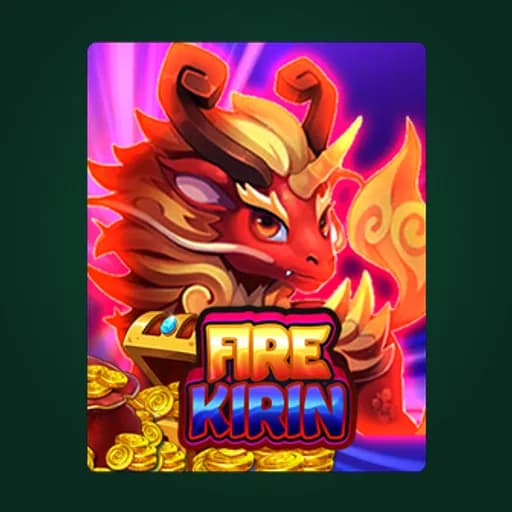
Fire Kirin
Fish GameFeatured game NewFeatured
Royal Treasure
Slots Featured
Juwa
Ocean Adventure New
Orion Stars
Casino New
Ultra Thunder
Fish Game New
Juwa 2
Casino
Game Vault
Slots
Milky Way
Casino
Panda Master
Ocean Adventure
Game Room
Casino
Current offers
Terms are shown in your account.
Current offer
Official platform
The official Fire Kirin platform. Players sign up, load credits and cash out in their own account, with no agent in between.
Daily spin
Spin the prize wheel from your account. Current terms are shown there.Refer & earn
Share your referral link from your account. Current terms are shown there.
Recent activity
Completed Cash Outs, newest first.
How it works
From sign-up to withdrawal, all in your account
Everything runs in your browser. Money stays in your own wallet, and every move appears in Transaction History.
Create your free account
Pick a username, add your email and choose a password. That one Fire Kirin account is yours; nobody sells it to you or holds it for you.
Get Game Access
In the lobby, open Fire Kirin and pick Get Game Access. The platform generates a Fire Kirin username and password and displays them in your account.
Deposit and Cash In
Use the cashier to put money into My Wallet, then Cash In to carry credits over to the game. Each step is listed in Transaction History.
Play, then Cash Out
Play in your browser or in the Fire Kirin app with the login from your account. Cash Out moves the game balance back into My Wallet; from there, Withdraw pays it out to you.
Your account
One account, one wallet
The same Fire Kirin account and wallet open every game in the lobby. Game logins, offers and support all live in it.
One wallet, every game
Deposit once. The same wallet funds Fire Kirin and the other games in the lobby, so there is no second account or second payment to set up.
Game logins created for you
Get Game Access makes your Fire Kirin login and shows it in your account. Reset the game password from the same screen whenever you need to.
Cash Out back to your wallet
Move a game balance back to My Wallet at any point, then withdraw from there. Statuses show in Transaction History the whole way.
Daily spin and bonus tasks
A prize wheel and small tasks appear in your account when they are offered. The current terms and amounts show there, not here.
Refer a friend
Share your referral link from your account when the offer is live. The terms that apply are shown next to the link.
Live chat inside your account
Sign in and open the chat window whenever a deposit, login or withdrawal needs a human. Support will never ask for your password, and never tells you to pay a person.
The official Fire Kirin platform, in one place
Fire Kirin is a sweepstakes-style game hall built around fish tables, with a long list of slots and a few other games beside them. playfirekirin.us is the official Fire Kirin platform: the lobby you see above, the sign-up and login forms, your wallet, your Fire Kirin game login and the live-chat window are all hosted here, on a single domain. You don't get any of it from a stranger in a group chat.
That changes how Fire Kirin works for you. There's no agent to find, no credits to buy from a middleman and no "current link" to chase. You create a free account, deposit into a wallet you control, open Fire Kirin and ask the account for a game login. Every move you make shows up in your Transaction History.
People type the name many ways, from FireKirin to "fire kiran", and this site answers the same way whatever you searched for. If you're new to the game, what Fire Kirin is, explained for beginners is a gentle start.
How to check you're really on playfirekirin.us
Look at the address bar before you type anything private. The domain should read playfirekirin.us with nothing added in front of it and nothing swapped at the end. A lookalike with an extra word, a dash or a different ending isn't this platform, even if the page looks the same.
Two more habits keep you safe. First, arrive here by typing the address or using your own bookmark, not by tapping a link someone sent you. Second, remember that the game itself opens from inside your account, and the game's own pages may use other addresses; that's normal. What matters is that you started from playfirekirin.us and your account, not from a link a stranger posted.
Fish tables and slots: what's in the hall
Fire Kirin's best-known games are fish tables. You control a cannon at the bottom of a screen full of swimming targets, often sharing that screen with other players. Each shot costs your current bet, each hit can pay out by the target's value, and the bigger bosses need sustained fire from one or more players. It feels like an arcade, which is why so many people search for a Fire Kirin fish game online rather than a casino.
The slots are reel-based games, every one dressed in a theme of its own, with a bet selector and a spin button. Paytables and rules live on the info screen inside each game, and that screen is the only honest source for a title's features, since this site can't see return-to-player (RTP) figures or payline counts and won't guess them.
At our last check in November 2026, the Fire Kirin hall listed 122 named titles: 24 fishing games, 87 slots and 11 others. The full Fire Kirin game list is organized into fish tables and slots, each with a short, honest page per title. If you're deciding where to start, fish tables versus slots compares how the two kinds of game feel and pace.
One account, one wallet, more than one game
Fire Kirin is the headline game here, but it isn't the only one. The same account and wallet also open Orion Stars, Juwa, Juwa 2, Game Vault, Milky Way, Panda Master, Ultra Thunder, Royal Treasure and Game Room. The lobby above shows the current lineup, and each game has its own tile.
This is why you deposit once, into My Wallet, and then decide where the credits go. Cash In to Fire Kirin tonight, Cash Out back to the wallet, and Cash In to a different game tomorrow, all without a second account or a second payment. The rest of the lineup is simply there for you in your account; this site is official for Fire Kirin only and doesn't speak for the companies behind the rest. If you're weighing them, the comparison pages stay fair to both sides.
Get Game Access: your Fire Kirin login, created for you
Your playfirekirin.us account and your Fire Kirin game login are two different things, and the platform creates the second one for you. Open Fire Kirin from the lobby, choose Get Game Access, and a Fire Kirin username and password are generated and displayed in your account. Nobody types them into a chat for you, and nobody else knows them.
From that same screen you can:
- Play in the browser. Tap Play and the game opens in a new tab, already signed in. This works on any phone, tablet or computer, and it's the route for iPhone and iPad.
- Use the Fire Kirin app. On Android, the game comes as an APK file; it isn't on Google Play. Sign in to the app with the username and password shown in your account.
- Reset the game password. If you forget it or want a new one, reset it here rather than asking anyone.
- Download the game app when a download is set up, with the button in your account or on this site.
The download guide for Android and the iPhone and iPad guide cover the install routes step by step, and playing Fire Kirin online in a browser explains the no-install option. If you're searching for a Fire Kirin login page, the login help describes both logins side by side.
How money moves through your account
Money stays in your own account the whole way through. Nobody holds it "for" you, and nobody needs to be messaged to move it. The labels below are the ones in the app today; they may be renamed later, so follow the screen rather than the exact wording.
| Action | What it does | Where you find it |
|---|---|---|
| Deposit | Adds real money to My Wallet. Whichever payment methods are open at that moment appear in the cashier. | Wallet |
| Cash In | Takes credits out of the wallet and puts them into Fire Kirin or another game. | The game's screen in your account |
| Cash Out | Returns your game balance to the wallet. | The game's screen in your account |
| Withdraw | Pays money out of the wallet to you. | Wallet |
| Transaction History | Records each deposit, each Cash In and Cash Out, and each withdrawal, together with where it stands: pending, processing, completed, failed or cancelled. | Wallet |
Because methods, minimums and timing can change, this page doesn't publish them. Read the deposit or withdrawal screen carefully before confirming, or put the question to live chat first. The add money guide walks through a first deposit and Cash In, and the cash out guide covers Cash Out and withdrawal, including what to do if a withdrawal sits on pending.
Bonuses, described honestly
The platform runs a few offers, and all of them show their real terms inside your account rather than on this page. When a first-deposit bonus is on, its percentage, minimum and maximum appear in the sign-up pop-up and in your account. Small bonus tasks, such as turning on alerts, adding the site to your Home Screen or adding a phone number, appear when they're offered. Referral and cashback offers show up when they're live.
You won't find a dollar figure or a percentage in this copy, because those numbers change and a stale promise is a kind of lie. Read the terms before you accept any offer, and treat "free Fire Kirin money" from anywhere else as a scam. The sign-up bonus page and the free credits page explain what's real and what isn't.
Why you don't need a Fire Kirin agent
Fire Kirin was long played through agents and distributors: a person who created your login from a management panel, took your money by payment app and loaded credits by hand. That model put a stranger between you and your balance, and most Fire Kirin scams grew out of it. Fake agents, "backend access" sellers, cloned login pages and recovery "services" all depend on you needing someone in the middle.
On this platform, the software does the agent's job. Sign-up is open to anyone 18 or older, your deposits land in a wallet that's yours alone, Get Game Access creates the login and Cash In loads the credits. If someone offers to sell you a Fire Kirin account, a login, credits or "backend" access, they aren't part of this platform, whatever they claim. The agent page explains the old model and what replaced it, and fake agents shows the patterns to recognize.
Picking a fish table for your first session
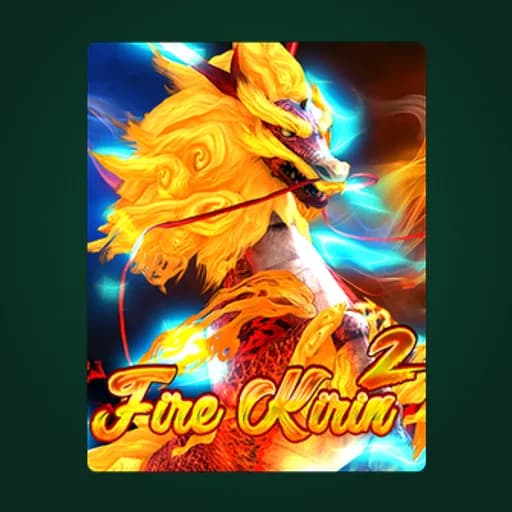
The hall's fishing titles range from calm, open screens to crowded ones with several bosses in play at once. The table called Fire Kirin is the natural starting point, and its fish table page describes how it plays; the one labelled FIRE KIRIN 2 is another fish table in the Fire Kirin game list, opened with the same login. Tiles further down the list each have their own short page in the fish games hub.
For a first session, pick a table that looks calm rather than busy, set a small bet and watch a few rounds before firing. Tips for beginners collects the habits that help, and skill versus luck is a frank look at how much aiming matters.
Staying safe and keeping play in proportion
A few plain rules cover most of the risk. Never share your account password or your Fire Kirin game password with anyone, including people who say they're support. Never install the game from a file posted in a comment, group or DM; use the download button in your account or on this site. Never pay a person's personal payment account because they say they're "Fire Kirin". If something feels off, log in and open live chat, which is the only support channel you need.
These games are entertainment, and losing what you load is a real possibility; outcomes are random. Decide on a money limit and a time limit before you start, and stop at whichever comes first. Chasing a loss with another deposit is the moment most people later regret. The responsible gaming page covers warning signs and how to take a break, and the legit or scam question gets a balanced answer rather than a sales pitch.
Sweepstakes law varies from state to state, and nothing here is legal advice. States and legality explains what to check where you live.
Where to go from here
- No account yet: create your free Fire Kirin account. It takes a username, an email and a password.
- Have an account: log in, open Fire Kirin and choose Get Game Access.
- Ready to deposit: the add money guide covers the cashier and your first Cash In.
- Want an icon on your phone: Android install or iPhone and iPad.
- Something isn't loading: Fire Kirin not working lists the fixes in order.
- Need a person: the support page explains how live chat works and what to have ready.
- Just got scammed: start at what to do now.
FAQ
Fire Kirin questions, answered
Is playfirekirin.us the official Fire Kirin site?
Yes. playfirekirin.us is the official Fire Kirin platform, and the lobby, sign-up, login, wallet, live chat and every guide run on this one domain. Before you type a password, check that the address bar reads playfirekirin.us with nothing added or changed. Your game login is created inside your account, so no outside link from anyone is ever needed to play.
Do I need a Fire Kirin agent or distributor?
No. Agents belonged to the old way of playing, where a person created your login and loaded credits by hand. Here you register a free account yourself, fund a wallet that belongs to you, and the platform creates the game login when you choose Get Game Access. Anyone selling Fire Kirin accounts, credits or backend access is not part of this platform.
How do I get my Fire Kirin username and password?
Log in to your account, pick Fire Kirin in the lobby and tap Get Game Access. The screen generates a game username and password automatically and displays them for you. Use them to launch the game in your browser from the account, or to sign in to the Fire Kirin app. If you forget the game password, reset it from the same screen.
Does a Fire Kirin account cost anything to create?
No. Registering is free, and there is no middleman to pay. Money leaves your pocket only when you decide to deposit into your wallet, and you pick how much to Cash In to the game. Any first-deposit bonus, when one is on, shows its real terms in your account before you accept it.
How do I add money to Fire Kirin?
Open My Wallet in your account and tap Deposit. Whatever payment methods are open right then appear in the cashier, which is why this page does not name them. Once the deposit shows as completed, open the game and choose Cash In to move credits across. Never pay into a personal payment account owned by somebody who merely claims to represent the platform.
How do I cash out from Fire Kirin?
Choose Cash Out on the game screen in your account to move your game balance back to My Wallet, then choose Withdraw to send money from the wallet to you. Both steps appear in Transaction History with a status. Should a withdrawal stay on pending for longer than you would like, raise it in live chat, not with a stranger.
Can I play Fire Kirin on my phone?
Yes. Play in the browser from your account on any phone, tablet or computer, which is the route for iPhone and iPad. Android users can additionally install the Fire Kirin game from an APK file (it is not on Google Play) and sign in with the login from their account. You can add this site to your Home Screen too, so the lobby and wallet open like an app.
Which games come with a Fire Kirin account?
Fire Kirin itself holds fish tables, slots and a few other games, 122 named titles at our last check. The same account and wallet also open Orion Stars, Juwa, Juwa 2, Game Vault, Milky Way, Panda Master, Ultra Thunder, Royal Treasure and Game Room. The lobby above shows the current lineup, and each Fire Kirin title has a short page of its own.
Does Fire Kirin have a sign-up bonus or free credits?
The platform offers a first-deposit bonus when one is running, plus small bonus tasks and referral or cashback offers when they are live. The amounts and terms always show inside your account, never on this page, because they change. Free credit generators, promo codes posted by strangers and giveaway pages are scams and will cost you your login or your money.
What should I do if Fire Kirin is not working?
Start by signing in at playfirekirin.us and opening the game from your account rather than from an old link or bookmark. If the game will not load, switch between Wi-Fi and mobile data, turn off any VPN, and try the browser version before reinstalling the app. If it still fails, open live chat in your account and describe what you see on screen.
Someone messaged me offering an account or credits. Is that real?
No. Nobody sells Fire Kirin accounts, logins, credits or backend access on behalf of this platform, and support will never contact you first or ask you to pay a person. Treat the message as a scam, do not send money or your password, and report the profile where it reached you. If you already paid, the scam-help pages explain what to do next.
How old do I need to be, and is it legal where I live?
You must be 18 or over, or older where your local rules set a higher minimum. Sweepstakes law varies from one state to the next and nothing on this site is legal advice, so look up your own state's position before depositing. These games are entertainment, and the money you load can be lost, so fix a spending cap and a time cap before you begin.
Free account
Ready to play Fire Kirin?
Create your account, deposit to your wallet and get your Fire Kirin login in your account.
You need to be at least 18, or older where your local rules set a higher age. These games are entertainment and the money you load can be lost, so choose limits you can live with. Responsible gaming